Office365 users cannot receive email from their own website or CiviCRM but all other users (different organisations) can receive email just fine
Office365 users cannot receive email from their own website or CiviCRM but all other users (different organisations) can receive email just fine. This problem is not unique to CiviCRM and can also apply to emails sent by the website as well, as such as password reset emails, order confirmation emails.
Solution 1: Verify that the FROM address for the incoming emails has a Office365 Mailbox
Automated email sent by CiviCRM will use the default FROM address. Manual email sent by the CiviCRM Mailing or Actions, Send Email function can use the logged in user email address or a different CiviCRM email address.
When checking for failed delivery of an email. It is important to first verify that the FROM address for the incoming email has a corresponding Office365 Mailbox. If there is no mailbox for that address then the email will be rejected.
Solution 2: Check Office365 Connector Exists For Website IP
We've been advised by another customer who was also having issues receiving emails from their own website to their Office365 mailboxes that the solution is as follows:
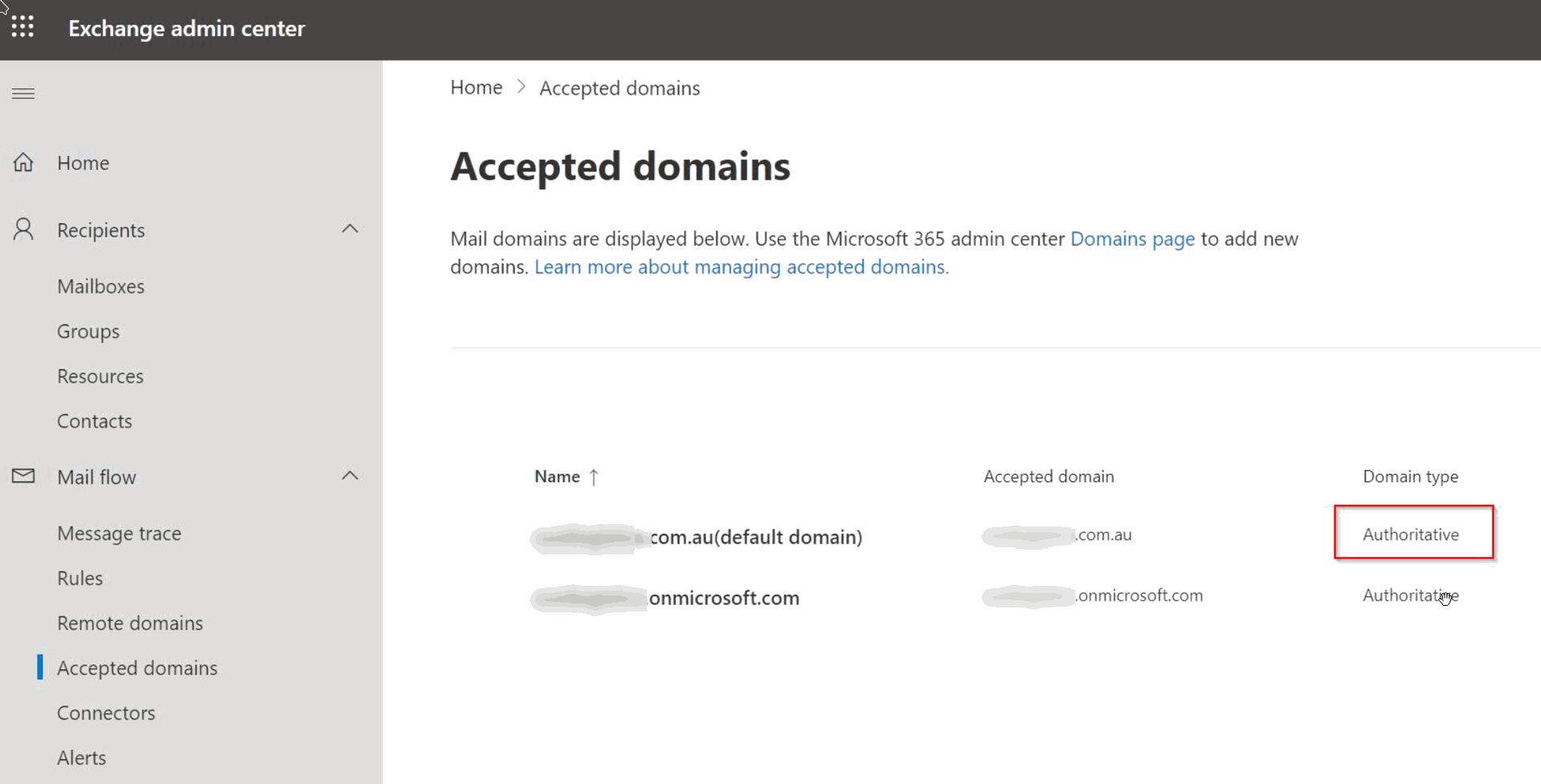
Office365 thinks it's authoritative for the domain. This means that email addresses only exist in Office365 and won’t be forwarded to other hosts (like an on-prem Exchange server). If the email being received has a from email address that doesn’t exist in Office365 e.g. lyoxpbew@domain.com.au from your web host or a Photocopier in the office then it WILL be flagged as spam or blocked.
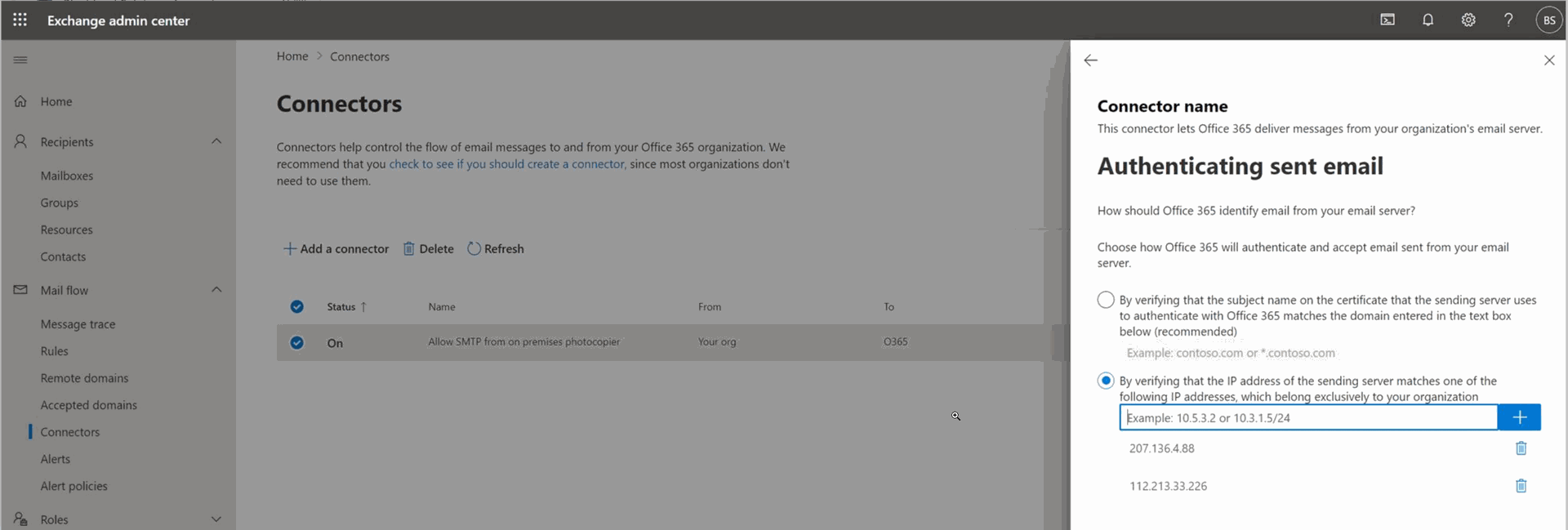
The solution is to set up a Connector in Office365 to allow incoming email from the website's IP, Photocopier IP etc.
Please see screenshots below. You should be able to pass on these instructions to your Office365 Admin.